

Advice after your nerve block for surgery
On this page…
| Glucose below 4mmols | ||
| Step 1 | Give hypo treatment as per table and wait 15 minutes. If your glucose reaches 4mmol before 15mins proceed to step 2 |
|
| Step 2 | Glucose above 4mmol Resume activity If due a meal, bolus maximum 5-10minutes before eating. |
Glucose still below 4mmol Check with finger prick to confirm Return to step 1 |
- If your sensor shows hypoglycaemia but you have no symptoms, check with a finger prick before treatment
- Sit down and relax while waiting 15 minutes
In the event the child is unconscious do not put anything in the child’s mouth.
Put child in recovery position and call for an ambulance.
Give Glucagon injection if you are trained to do so
Glucagon Dose— Over 25kg 1mg full dose
Under 25kg 0.5 mg half dose
| Treatment All treatments listed below are gluten free | Carbs | Pre school | Infant school | Junior School | Secondary school | |
| 1.5g | 2.5g | 5g | 7.5g | |||
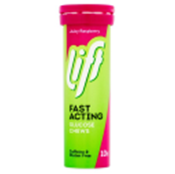
| Lift Chews |
|
4g per chew | Not suitable | half a chew | 1 chew | 2 chew |
| Dextro energy | 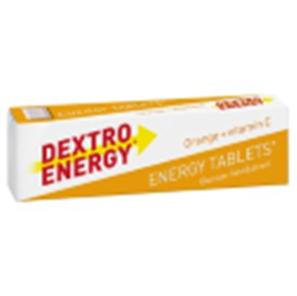 |
3g per tablet | half tablet | 1 tablet | 1-2 tablet | 2-3 tablets |
| Lift Juice |  |
15g per bottle | 6ml | 10ml | 20ml | 30ml / half bottle |
| Lucozade sport |  |
6.5g per 100 ml | 25ml | 40ml | 75ml | 115ml |
| Glucogel |  |
10g per tube | 1 thumb width of tube | a quarter of a tube | half a tube | three quarter of a tube |
- Treatment of hypoglycaemia should bring your glucose between 4 and 7mmol.
- If your glucose is too high after treatment consider reducing dose next treatment.
- If you are experiencing frequent hypoglycaemia please contact your diabetes team for review.
Hypo treatments can be prescribed by your GP.
Try and brush your teeth after hypo treatment and see your dentist regularly to maintain good oral health.
Contact us
If you have any queries relating to this information, please contact the Paediatrics service.
About this information
Service:
Paediatrics
Reference:
P/119
Approval date:
1 May 2026
Review date:
1 May 2029
Click ‘show accessibility tools’ at the bottom of the page

Then click ‘select language’

Alternative formats
You can use the accessibility toolbar at the bottom of your screen to:
-
Change the text size
-
Adjust the font
-
Modify the colour contrast
-
Use the translate function
If you would like this information in another format, such as Braille, audio, or easy read, please speak to a member of staff.
You can also print as well as download as PDF using the “Print this page” button at the end of the page.
Staff will print a copy for you on request
Important note
This page provides general information only. It is developed by clinical staff and is reviewed regularly every 3 years for accuracy. For personal advice about your health, or if you have any concerns, please speak to your doctor.